Everything a spreadsheet review used to need a screen-share for
Satsuma files are plain text by design — version them, diff them, review them in a pull request. The extension is what makes that plain text feel as approachable as a spreadsheet, and considerably more powerful.
Read it like a document, not a grammar
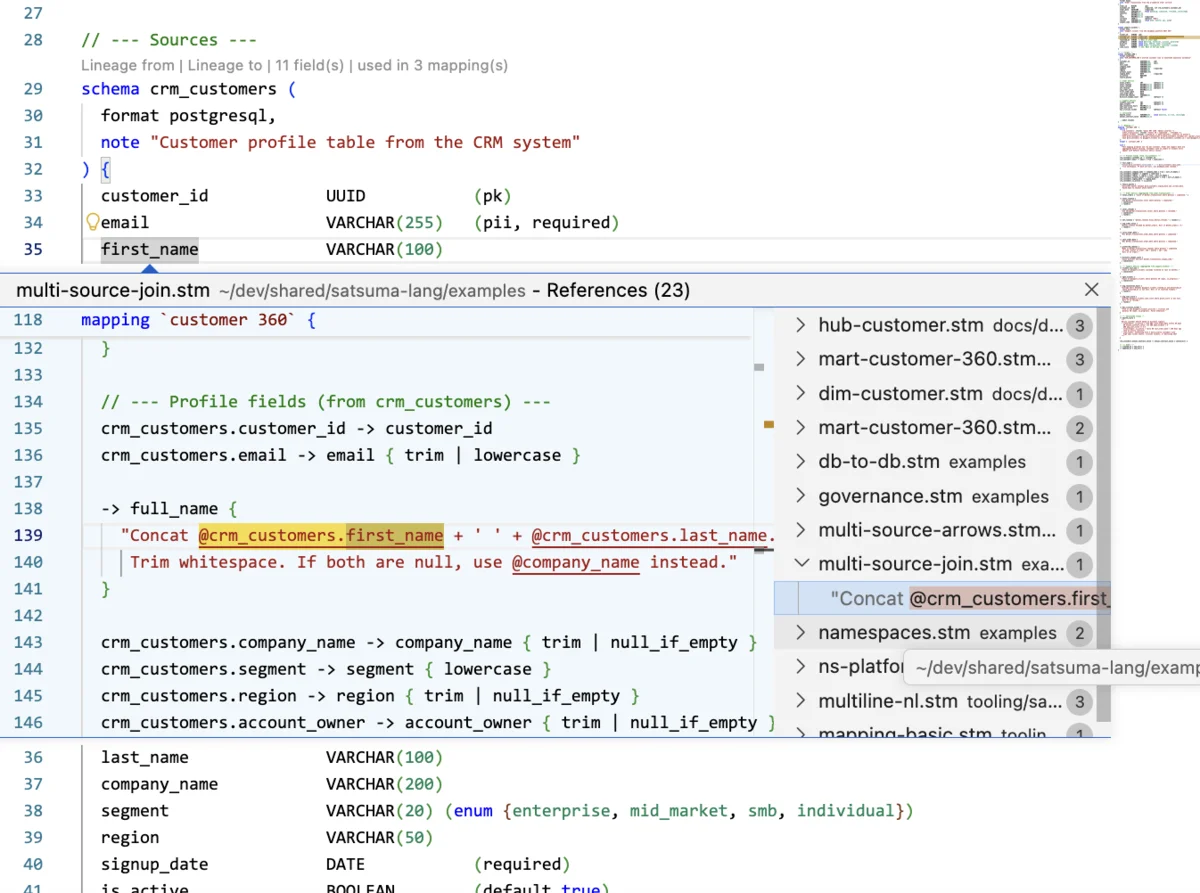
Syntax highlighting, hover tooltips, and an outline panel turn a mapping into something a product owner can scan without knowing the syntax. Inline CodeLens goes further — usage counts appear right above each block, so "is this field used anywhere?" is answered before you've clicked a thing.
- CodeLens above every block: field counts, "used in N mappings," spread counts
- Go-to-Definition and Find References (Ctrl+Click, Shift+F12) — jump straight to where something is defined or used
- Rename Symbol (F2) across every file, with duplicate detection
-
Format on save — one canonical style, same formatter as
satsuma fmt
See the whole workspace, then drill into any mapping
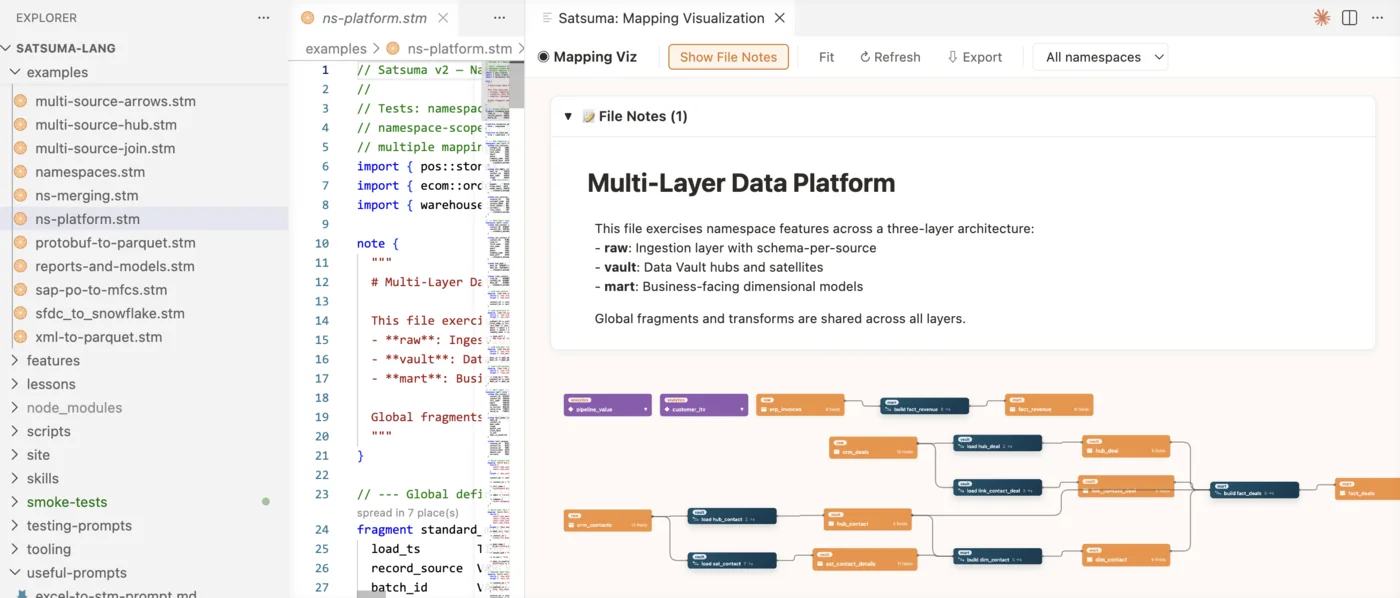
The Workspace Graph lays out every schema, mapping, metric, and fragment as an interactive SVG — click any node to jump to its definition, filter by namespace, and it auto-refreshes on save. Click into a mapping and it opens the Mapping Detail view: source and target schemas side by side, with every field-level arrow and transform between them.
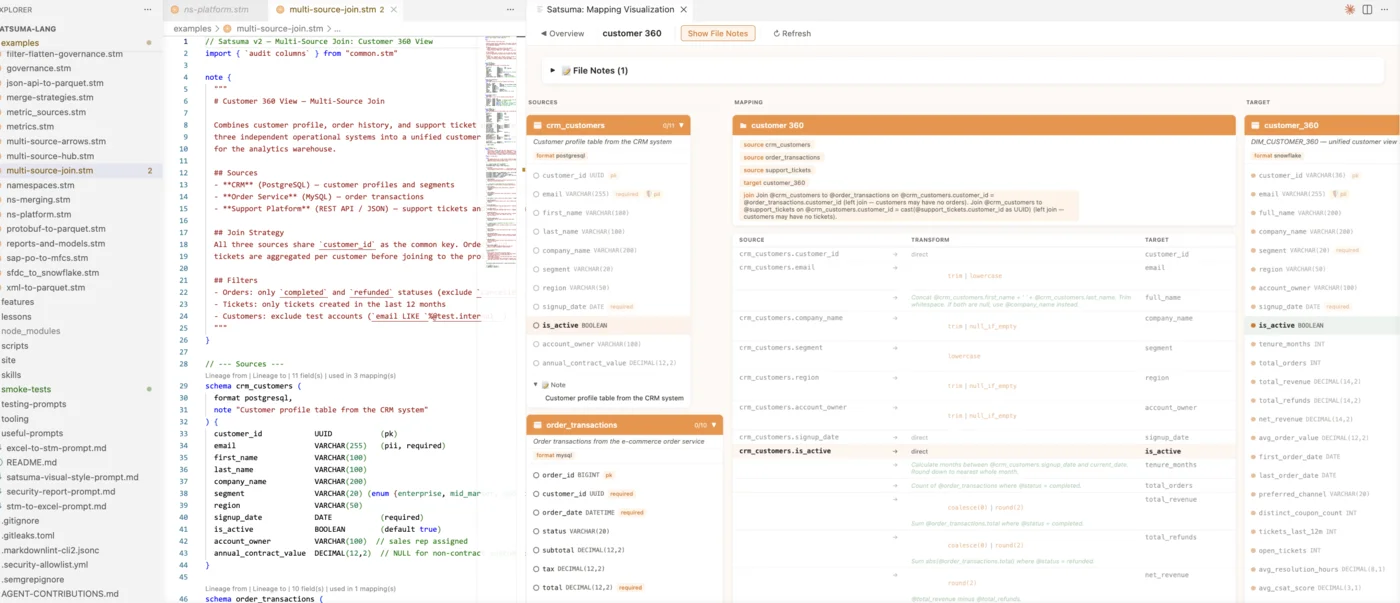
And when you need to check something specific
Catch mistakes before they reach a PR
Red squiggles for parse errors as you type; yellow squiggles on save for undefined schemas, duplicate names, and broken imports. //! and //? marker comments surface in the Problems panel too.
Trace a schema's lineage before you touch it
"Show Lineage From..." picks a schema and renders its full forward or backward flow through the workspace — know what breaks before you change something.
Trace one field through the entire pipeline
Click the lineage icon on any field and the visualization becomes a left-to-right rail: everything upstream of that field, the field itself in the middle, everything downstream. Each hop names the mapping responsible — click it to open that mapping, or click any field to re-centre the chain there. A hop that hit the traversal limit says so, so a truncated chain never looks complete.
Know what's mapped without reading the arrows
Green and red gutter markers plus a status-bar percentage show mapped vs. unmapped target fields for the mapping under your cursor — no CLI, no counting by hand. For the whole workspace at once, the visualization's Coverage overlay repaints every schema card with the proportion of its fields that something actually maps, and marks the records that are only partly covered.